ABBRobot
🌐 KR
Description
A component that imports the ABB robot to be used. You can select the robot owned by the user and then configure options. Robot models can be selected from predefined specifications in the ABB IRB series catalog. By right-clicking the component icon and selecting [Show joint Jog Params], you can further operate each axis of the selected robot to configure the simulation.
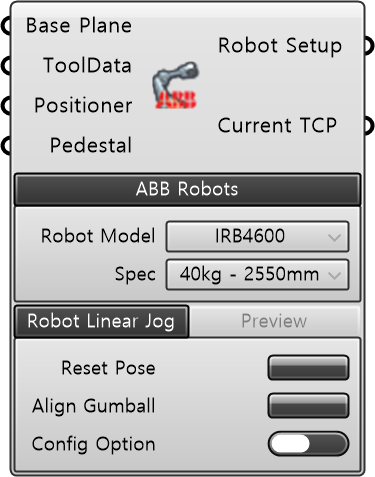
| Input
| Name | Type | Description |
|---|---|---|
| Base Plane | Plane | Robot base coordinate system plane. Default: WorldXY. |
| ToolData | ToolData | ABB ToolData to apply to the robot. |
| Positioner | Positioner | External axis Positioner to link with the robot. |
| Pedestal | Mesh | Surrounding environment mesh such as robot pedestal and workbench (Optional). |
| Required Parameter
| Name | Type | Description |
|---|---|---|
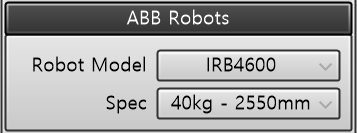
| Robot Model | String | ABB robot model |
| Spec | String | Selected ABB robot model specification — Payload (kg) and Reach (mm) |
| Name | Type | Description |
|---|---|---|
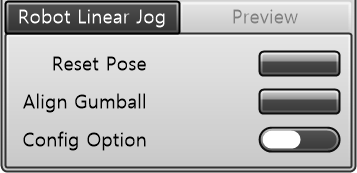
| Reset Pose | Button | Reset robot pose |
| Align Gumball | Button | Aligns the TCP parallel to the World coordinate axis (±X, ±Y, ±Z) closest to the current TCP orientation. Identical to the Align function in ABB FlexPendant Jogging. |
| Config Option | Toggle | • TRUE: cfx = 1. Inverts the configuration of robot axes 4 and 6 • FALSE: cfx = 0 Default value |
| Name | Type | Description |
|---|---|---|
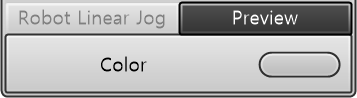
| Color | Color | Visualization color |
| Output
| Name | Type | Description |
|---|---|---|
| Robot Setup | Robot Setup | Configured robot setup. Robot definition bundled with base, tool, positioner, and environment models. |
| Current TCP | Plane | Current TCP plane of the robot setup. |