ToolData
🌐 KR
Description
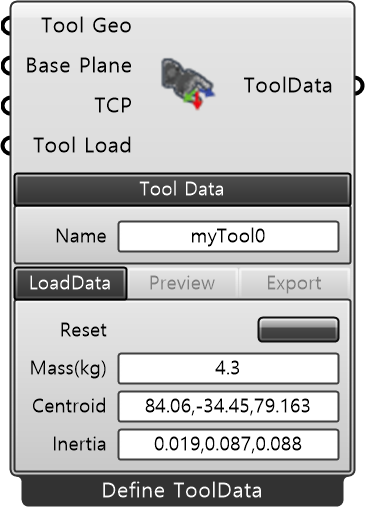
Redefines user-defined tool (end-effector) data. The default is tool0, which corresponds to the coordinate system of axis 6 on an ABB robot. You can switch between Define (manual configuration) and Import (loading pre-saved tool data) modes using the right-click context menu.
| Input
| Name | Type | Description |
|---|---|---|
| Tool Geo | Mesh | Shape geometry mesh of the tool (end-effector). |
| Base Plane | Plane | Tool mounting reference plane relative to the ABB robot flange. Defines the orientation basis for TCP and geometry. |
| TCP | Plane | Position and orientation of the TCP (Tool Center Point) at the end of the tool, defined relative to the tool base (Base Plane). |
| Tool Load | ToolLoad | Tool load data (LoadData). If disconnected, it will be automatically estimated from the bounding box of the tool geometry. |
| Required Parameter
| Name | Type | Description |
|---|---|---|
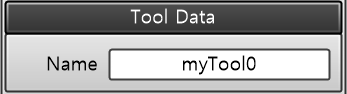
| Tool Name | String | Defines the variable name for the generated `ToolData`. |
| Name | Type | Description |
|---|---|---|
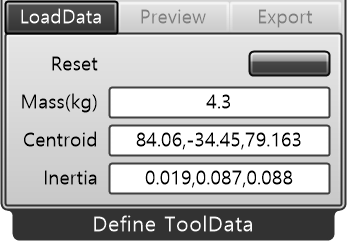
| Reset | Button | Resets values. |
| Mass(kg) | String | Weight (kg). |
| Centroid | String | Coordinates of the center of gravity (x, y, z). |
| Inertia | String | Moments of inertia (Ix, Iy, Iz). |
| Name | Type | Description |
|---|---|---|
| Color | Color | Visualization color. |
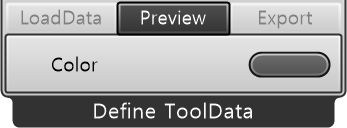
| Name | Type | Description |
|---|---|---|
| Export | Button | Saves the tool data as a file to a user-specified local directory. |
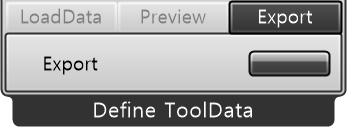
| Output
| Name | Type | Description |
|---|---|---|
| ToolData | ToolData | Outputs the configured ABB ToolData stream. |