WAAM Builder
🌐 KR
Description
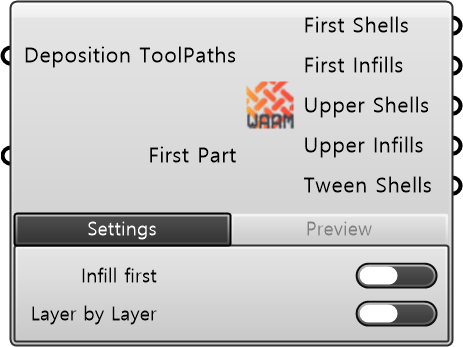
This is a component that receives, analyzes, and integrates WAAM deposition toolpaths generated by a slicer. It can separate and output the received data into five categories: First Layer Shell, First Layer Infill, Subsequent Layers Shell, Subsequent Layers Infill, and Tween Shell. Users can preview the alignment and layers of the deposition path.
| Input
| Name | Type | Description |
|---|---|---|
| Deposition ToolPaths | Data | Deposition toolpath data generated from the slicer component. |
| First Part | Boolean | Flag indicating whether the current Deposition ToolPath is the lowest (first) part. |
| Required Parameter
| Name | Type | Description |
|---|---|---|
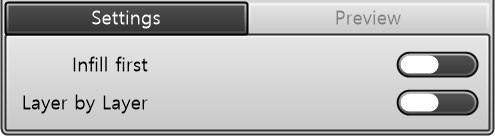
| Infill First | Toggle | • TRUE: Applies deposition sequence from Infill → Shell • FALSE: Applies deposition sequence from Shell → Infill |
| Layer by Layer | Toggle | Sets the processing sequence for Deposition ToolPaths of multiple objects. • TRUE: Layer-by-layer deposition (sequentially processes the same layer across all objects). • FALSE: Object-by-object deposition (sequentially processes all layers per object). |
| Name | Type | Description |
|---|---|---|
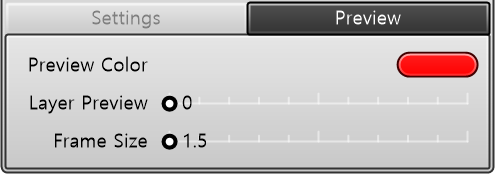
| Preview Color | Color | Visualization color. |
| Layer Number | Number | Layer to preview. |
| Frame Size | Number | Frame size. |
| Output
| Name | Type | Description |
|---|---|---|
| First Shells | Plane | Target planes for the shell of the first layer. No output when First Part = FALSE. |
| First Infills | Plane | Target planes for the infill of the first layer. No output when First Part = FALSE. |
| Upper Shells | Plane | Target planes for the shells of layers subsequent to the first layer. |
| Upper Infills | Plane | Target planes for the infills of layers subsequent to the first layer. |
| Tween Shells | Plane | Target planes for partial shell paths inserted between base shell layers in overhang sections. |