Installation
🌐 KR
1. PackageManager
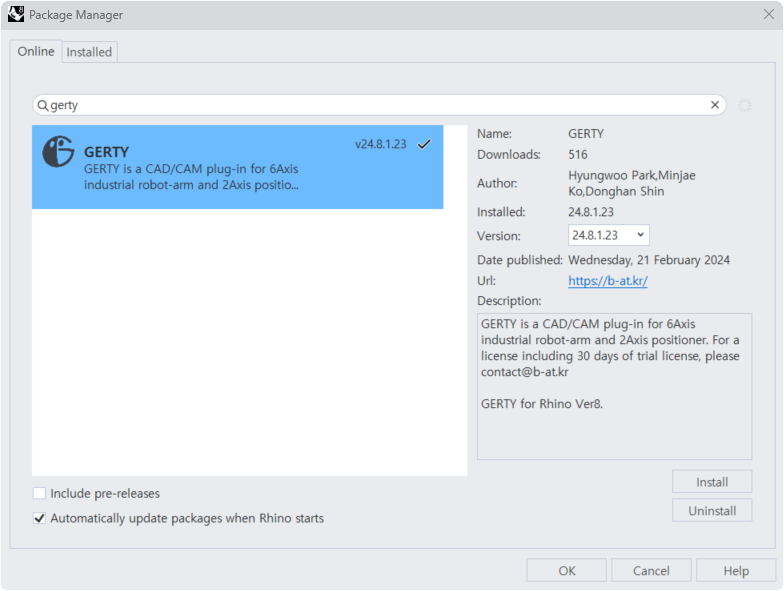
In Rhino’s PackageManager, search for GERTY and install the latest version.
Restart Rhino after installation.
The trial license will be activated automatically and can be used for 15 days.
If Automatically update packages when Rhino starts is selected, the latest version of GERTY will always be used.
2. GetMachineIDs
If the Trial License expires, you can subscribe to GERTY’s paid service.
When purchasing a license, use the GetMachineIDs component to retrieve the unique MAC address data.
Copy the extracted data using “Copy Data Only”, which can be accessed by right-clicking on the panel.
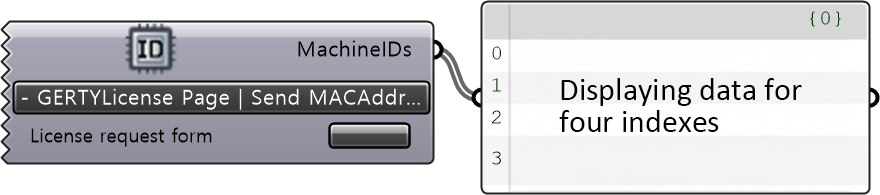
Paste the copied MAC address into the form on the page linked to the Trial Request Page button and submit it.
If the form is not visible, send an email to contact@b-at.kr.

3. FileImportAndExport
User will receive the license via email.
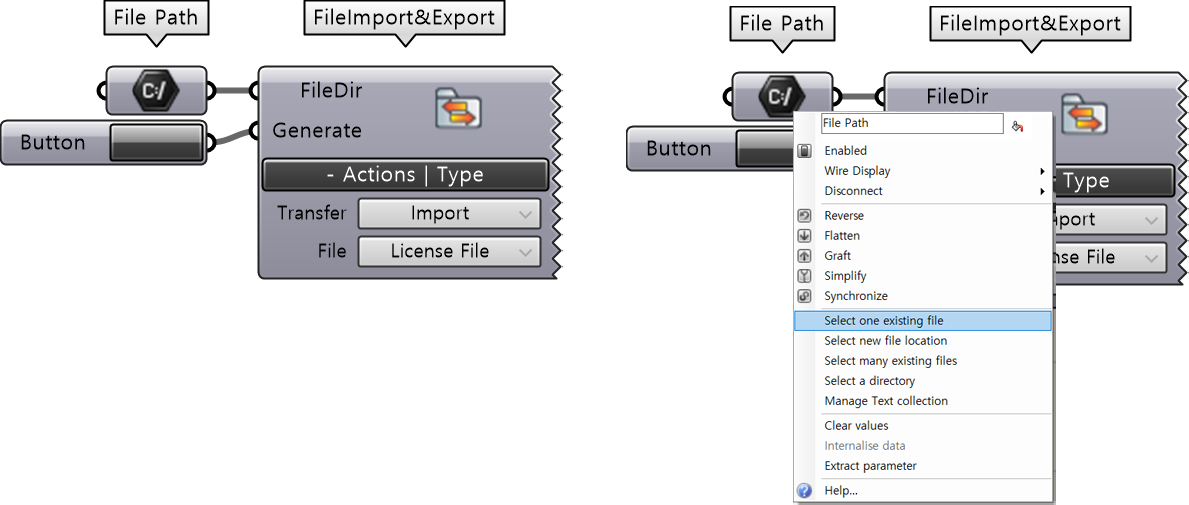
Use the FileImporterAndExporter component to apply the license.
Right-click on the FilePath component, select “Select one existing file”, and link the license file.
Use the GERTYLicense component to check your license information.
If Available is confirmed, the GERTY installation is complete.
For any other issues, contact contact@b-at.kr.